
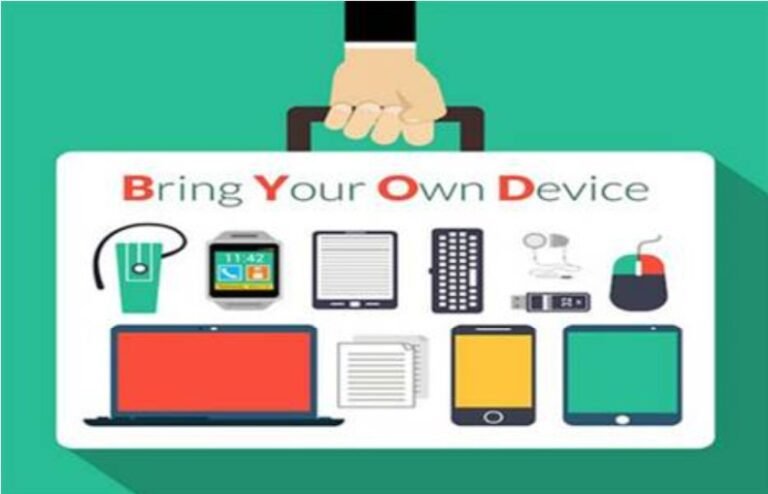
The Introduction to BYOD, Emerging in a Hybrid Office Setup.
Aside from enhancing operational flexibility and flexibility, employers that benefit from increased employee productivity through hybrid work experience are rapidly transforming into infusing BYOD compliance hybrid office policies that are now becoming commonplace in modern businesses. This is how an employee finally brings his laptop, smartphone, and tablet, for he has trained his sights upon any means available to fulfill his ends towards productivity at work. This makes the mobile device policy work where you have to work on your device.
But these very benefits become dangers. For instance, a data breach scenario materializes in cases where organizations target unsecured public Wi-Fi, together with absent software patches. The risk here includes not just technological but legal, reputational, and financial.
Regulators worldwide establish stringent requirements. “Data protection must be compliant with HIPAA in the health sector, irrespective of its mode of storage, as does California’s CCPA. Organizations need BYOD compliance hybrid office strategies with security measures to protect sensitive data. “Otherwise, heavy fines, loss of trust from customers, and disruption to operations could follow.
The discussion is no longer about yes or no on BYOD—it’s about balancing benefits with a clear, enforceable yellow mobile device policy works to mitigate risks.
Understanding BYOD Risks and Compliance Challenges
BYOD offers advantages regarding efficiency; nonetheless, a flurry of risks arises for compliance heads to respond to. Some of the imminent risks are:
Systems that are lacking security:
Employees typically sign in to corporate applications over public Wi-Fi, which may expose the communications to interception.
Lost or Stolen Device:
The employee may endanger any customer or financial data by having lost a phone with sensitive emails.
Shadow IT:
Employees may download unauthorized apps that are non-approved and unknown by IT, thereby contravening compliance.
Multiple Types of Devices:
Organizations are facing the uphill task of trying to enforce uniform security controls across Windows, macOS, iOS, and Android devices.
Cultural & Legal Characteristics:
What is acceptable behavior in one jurisdiction may violate privacy laws in another jurisdiction.
Charting a Robust Mobile Device Policy for a Hybrid Workforce
A yellow mobile device policy is crucial for BYOD management, clearly spelling out rules and enforcement. This must stipulate what the rules and expectations would be for the employee and employer. A complete BYOD policy should provide for:
Device Enrollment Access Control:
Employees must ensure their devices are being registered and authorized to access corporate data. Multi-factor authentication (MFA) should be a requirement.
Data Separation:
Implementation of containerization achieves the separation of personal and professional apps. This allows privacy for employees and security for companies.
Encryption Requirements:
Encryption has to be applied to all disks for full-disk functionality, thereby protecting all data being stored on disk.
Software Upgrades & Patching:
All employees of the organization will be obliged to agree to install updates, including security patches, on their devices.
Incident Response:
Timely and reportable guidelines in the case of device loss and theft, to be acted upon promptly and verifiably by IT, including the means to perform remote wiping of these devices.
Acceptable Use Policy:
Employees ought to be educated in the various unacceptable practices, particularly those of downloading unauthorized applications.
Technology in Conjunction with Training: Tools for Ensuring BYOD Compliance
The various technologies and tools that contribute to maintaining BYOD compliance are very critical to guarding the security of hybrid office environments. Different risk-reducing tools and frameworks include the following:
Mobile Device Management (MDM):
The IT department now has a centralized platform to monitor, control, and secure all registered devices.
Zero Trust Security Model:
The Trust model assumes no devices can be trusted while continuously validating that every user and request is authorized.
Virtual Private Networks (VPN):
A secure tunnel protects data that flows between two endpoints across untrusted networks.
AI Monitoring:
Machine learning identifies abnormal activity in the system, such as any suspicious logon attempts, strange data transfer endeavors, or hints of malware activity.
But it is dangerous to leverage tech alone-the employee is the weakest link nearly always, thus training is paramount. Training sessions should include topics like:
- The identification of any phishing or social engineering attempts.
- Safe practices for accessing company apps from personal devices.
- The importance of reporting compliance issues and updating devices promptly.
- Employee responsibilities in the event of device loss or suspicious activity.
Conclusion: Balancing BYOD Flexibility and Compliance Readiness
Today, the hybrid workplace is here to stay, as is the BYOD model. Employees prefer to work using devices of their choosing while organizations profit from decreases in hardware costs and an increase in productivity. The question of flexibility, however, cannot be separated from the importance of compliance and, of course, security.
In a nutshell, enforceable yellow mobile phone policies that work, strong security technologies, and a program of employee training are essential elements in keeping matters at bay. If, however, one were to adopt a proactive compliance path, the chances of data breaches would be greatly decreased, with an additional benefit of regulatory fine protection, along with fostering customer and stakeholders’ confidence.
Would-be BYOD compliance hybrid office strategists could gain a strong advantage in addressing the challenges the post-hybrid workspace throws at them. Compliance is not a checkbox; it has become a pillar of resilience and long-term success for digital-first businesses.
Works Cited:
[1] “BYOD Security and Compliance Challenges,” Cisco, 2024. [Online]. Available: https://www.cisco.com
[2] “Mobile Device Management Best Practices,” Gartner, 2023. [Online]. Available: https://www.gartner.com
[3] “Future of Hybrid Work Security,” Deloitte Insights, 2023. [Online]. Available: https://www.deloitte.com
[4] “Data Protection in BYOD Environments,” IBM Security Report, 2024. [Online]. Available: https://www.ibm.com
FAQs on BYOD Compliance, Hybrid Office, and Mobile Phone Policy
- What is BYOD compliance and why does it matter?
BYOD compliance ensures that personal devices used for work meet company security standards and protect sensitive data.
2. How does a hybrid office model affect device policies?
A hybrid office setup requires flexible device policies that support both remote and in-office work environments.
3. Can mobile phone policy work across different teams?
Yes. A well-structured mobile phone policy works when tailored to department-specific needs and access levels.
4. What are the risks of ignoring BYOD compliance?
Lack of compliance can lead to data breaches, unauthorized access, and legal consequences.
5. How do companies enforce BYOD compliance effectively?
They use mobile device management tools, employee training, and regular audits to ensure secure usage.
6. Is a hybrid office suitable for all industries?
While tech and consulting firms thrive in hybrid setups, sectors like healthcare and manufacturing may face limitations.
7. What makes a mobile phone policy work well?
Clarity, enforceability, and alignment with privacy laws make mobile phone policy work across diverse roles.
8. How often should mobile phone policies be reviewed?
At least annually, or whenever there’s a major tech update or regulatory change.
9. What role does IT play in a hybrid office environment?
IT teams manage device access, monitor network activity, and ensure secure collaboration across locations.
10. Can BYOD compliance reduce operational costs?
Yes. It lowers hardware expenses but requires investment in cybersecurity and policy enforcement.
11. What are the legal risks of poor mobile policy enforcement?
Non-compliance can lead to lawsuits, data leaks, and penalties under privacy regulations.
12. How do remote teams maintain BYOD compliance?
By using secure VPNs, approved apps, and adhering to company-approved device protocols.
13. What should be included in a mobile phone policy?
Device registration, encryption standards, acceptable use guidelines, and remote wipe capabilities.
14. How does a hybrid office impact team communication?
It demands clear protocols for device use, meeting access, and secure data sharing across locations.
15. How can companies balance flexibility and control?
By designing policies that support productivity while enforcing BYOD compliance and mobile phone standards.
Penned by Nishita Kumari
Edited by Sneha Seth, Research Analyst
For any feedback mail us at info@eveconsultancy.in
Finance made simple, fast, and fun! 🏦💡 Sign up for your daily dose of financial insights delivered in plain English. In just 5 minutes, you’ll be smarter already!
Simplify Your Business Compliance with Eve Consultancy
Eve Consultancy is your trusted partner for end-to-end compliance services, including Company Incorporation, GST Registration, Income Tax Filing, MSME Registration, and more. With a quick and hassle-free process, expert guidance, and affordable pricing, we help businesses stay compliant while they focus on growth. Backed by experienced professionals, we ensure smooth handling of all your legal and financial requirements. WhatsApp us today at +91 9711469884 to get started.